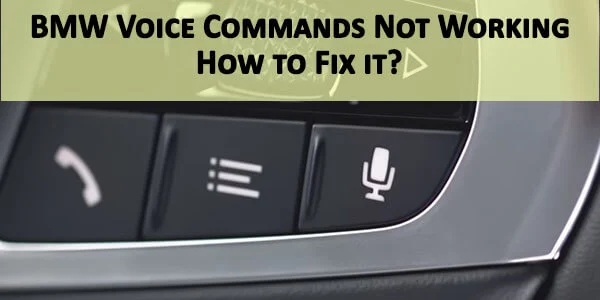
BMW Voice Commands Not Working: How to Fix It

By the CarsDailyHub Editorial Team | Automotive writers; every article fact-checked against BMW owner’s manual and iDrive documentation | Updated June 2026
Quick Answer: BMW voice commands stop working most commonly because of a software glitch in the iDrive system (fixed with a reboot), a disconnected or failing microphone in the headliner, or a Bluetooth pairing issue with the phone. The quickest fix is to reboot iDrive by holding the power button for 20 seconds. If that does not work, check the microphone and re-pair your phone. Average repair cost: $0 (reboot) to $200-400 (microphone replacement).
This guide covers BMW voice command issues on iDrive 6, 7, and 8 systems (2016-2024 models). Last reviewed: June 2026.
Table of Contents
- Common Causes Ranked by Likelihood
- How to Diagnose Which Cause Applies to You
- Fix 1: Reboot the iDrive System
- Fix 2: Check the Microphone
- Fix 3: Re-pair Your Phone
- Fix 4: Update iDrive Software
- Fix 5: Check Voice Command Settings
- Cost Breakdown: DIY vs Shop
- Frequently Asked Questions
- Sources & References
Common Causes Ranked by Likelihood
| Cause | Likelihood | Symptoms | Fix Difficulty |
|---|---|---|---|
| iDrive software glitch | Very high | Voice button does nothing, no response at all | Easy (reboot) |
| Bluetooth pairing issue | High | Phone calls work but voice commands do not | Easy (re-pair) |
| Microphone failure | Medium | No voice input detected, phone calls also poor | Medium |
| Voice command settings disabled | Medium | Voice button works but system says “not available” | Easy (settings) |
| iDrive software outdated | Low | Intermittent issues, other iDrive bugs also present | Medium (update) |
| Head unit hardware failure | Rare | Multiple iDrive functions failing | Hard (replace) |
How to Diagnose Which Cause Applies to You
Test 1: Does the voice button respond at all?
Press and hold the voice command button on the steering wheel. If nothing happens (no beep, no prompt on the screen), the iDrive system may have a software glitch. Try the reboot in Fix 1.
If the system responds with a prompt but cannot understand your commands, the microphone may be failing or the settings may be wrong.
Test 2: Do phone calls work?
Make a phone call using the hands-free system. If the other person cannot hear you, the microphone is likely the problem. If phone calls work fine but voice commands do not, the issue is in the iDrive software or settings.
Test 3: Is your phone connected via Bluetooth?
If voice commands only fail when trying to use phone-related functions (call, text), the Bluetooth connection may be the issue. Disconnect and re-pair your phone.
Test 4: Check voice command settings
Navigate to: iDrive Menu > Communication > Voice Commands (or Settings > Voice Control depending on iDrive version). Verify that voice commands are enabled and the correct language is selected.
Fix 1: Reboot the iDrive System
This is the most common fix and takes 30 seconds.
- Press and hold the power button on the iDrive controller (the volume/power button on the center console) for 20-25 seconds.
- The screen will go dark, then display the BMW logo as it reboots.
- Wait for the system to fully restart (1-2 minutes).
- Test the voice command button.
If the voice commands work after the reboot, the issue was a software glitch. If it recurs frequently, you may need a software update (see Fix 4).
Cost: $0. Time: 30 seconds. Tools: none.
Fix 2: Check the Microphone
The BMW voice command microphone is located in the headliner near the rearview mirror. If it is disconnected, damaged, or blocked, voice commands will not work.
- Inspect the microphone grille in the headliner. Make sure nothing is covering it (dashcam mounts, parking passes, etc.).
- Check for water damage. If the windshield has been leaking, water may have damaged the microphone. Look for water stains on the headliner near the mirror.
- Test with a phone call. If the other person cannot hear you at all, the microphone is likely disconnected or failed.
- Access the microphone connector. Gently pull down the headliner near the rearview mirror to access the microphone connector. Disconnect and reconnect it to ensure a good connection.
- Replace the microphone if it is damaged ($30-80 for the part, $200-400 at a shop including labor to access the headliner).
Cost: $0 (reconnect) to $400 (replace). Time: 10 min (reconnect) to 1 hour (replace). Tools: trim panel tool, Torx driver.
Fix 3: Re-pair Your Phone
If voice commands work for navigation and entertainment but not for phone functions, the Bluetooth connection may be corrupted.
- Delete the phone from BMW: iDrive Menu > Communication > Bluetooth > Manage Devices > Select your phone > Delete.
- Delete the BMW from your phone: Phone Settings > Bluetooth > Find BMW > Forget This Device.
- Re-pair: iDrive Menu > Communication > Bluetooth > Add New Device. Follow the prompts on both the iDrive screen and your phone.
- Grant all permissions. On your phone, make sure to allow contacts, call history, and messages sync when prompted.
- Test voice commands for phone functions.
Cost: $0. Time: 5 minutes. Tools: none.
Fix 4: Update iDrive Software
BMW releases software updates that fix bugs in the iDrive system, including voice command issues.
- Check for updates: iDrive Menu > Settings > Software Update > Check for Updates (requires WiFi connection).
- Download via USB: If your BMW does not have WiFi, download the update from the BMW website to a USB drive, insert it into the USB port, and follow the on-screen prompts.
- Visit a dealer: If you cannot update yourself, a BMW dealer can update the iDrive software in 30-60 minutes. Some updates are free under warranty; others cost $50-150.
Cost: $0 (self-update) to $150 (dealer). Time: 30-60 min.
Fix 5: Check Voice Command Settings
- Navigate to: iDrive Menu > Settings > Voice Control (path varies by iDrive version).
- Verify voice commands are enabled.
- Check the language setting. If the wrong language is selected, the system will not recognize your commands.
- On iDrive 7 and 8, check if Online Speech Processing is enabled. This uses BMW’s cloud-based speech recognition for better accuracy but requires a connected BMW Online account.
- If available, run the voice training function. This calibrates the system to your voice and improves recognition.
Cost: $0. Time: 5 minutes.
Cost Breakdown: DIY vs Shop
| Fix | DIY Cost | Shop Cost (US avg) | Time |
|---|---|---|---|
| iDrive reboot | $0 | $0 | 30 sec |
| Re-pair phone | $0 | $0 | 5 min |
| Check/reconnect microphone | $0 | $50-80 | 10-30 min |
| Replace microphone | $30-80 (part) | $200-400 | 1 hr |
| iDrive software update | $0 (self) | $50-150 (dealer) | 30-60 min |
| Head unit diagnosis | – | $150-300 | 1-2 hrs |
| Head unit replacement | – | $1,500-3,000 | 2-4 hrs |
When to call a mechanic:
– If the reboot, re-pair, and microphone check do not fix the issue
– If multiple iDrive functions are failing (not just voice commands)
– If the head unit needs replacement (requires BMW programming)
Frequently Asked Questions
Q: How do I reboot the BMW iDrive system?
A: Press and hold the power button on the iDrive controller for 20-25 seconds. The screen will go dark and then display the BMW logo as it reboots. Wait for the system to fully restart (1-2 minutes) before testing voice commands. This fixes most software glitches that cause voice commands to stop working.
Q: Why does my BMW voice command button do nothing when I press it?
A: The most common cause is an iDrive software glitch. Reboot the system by holding the power button for 20-25 seconds. If the button still does nothing after the reboot, the microphone may be disconnected or the voice command function may be disabled in settings. Check iDrive Menu > Settings > Voice Control to verify it is enabled.
Q: Can I use Siri or Google Assistant through my BMW instead of the BMW voice commands?
A: Yes. On iDrive 7 and 8 (2019+ models), you can use Apple CarPlay or Android Auto, which integrate Siri and Google Assistant directly. Press and hold the voice button to activate Siri/Google instead of BMW’s voice system. On older iDrive 6 systems, you can only use BMW’s built-in voice recognition.
Q: Where is the BMW voice command microphone located?
A: The microphone is in the headliner near the rearview mirror. It is a small grille in the fabric. If something is covering it (dashcam mount, parking pass), voice commands will not work. If the windshield has been leaking, water may have damaged the microphone. Check for water stains on the headliner.
Q: How much does it cost to fix BMW voice commands?
A: The most common fix, an iDrive reboot, is free and takes 30 seconds. Re-pairing your phone is also free. If the microphone needs replacement, it costs $30-80 for the part or $200-400 at a shop. If the head unit needs replacement, it costs $1,500-3,000. Always try the free fixes first before paying for diagnosis.
Q: Does BMW voice command work without a phone connected?
A: Yes. BMW’s built-in voice commands for navigation, entertainment, and climate control work without a phone connected. Only phone-related voice commands (call, text) require a Bluetooth-paired phone. If the built-in voice commands are not working without a phone, the issue is with the iDrive system or microphone, not the Bluetooth connection.
Sources & References
- BMW Owner’s Manual – iDrive 6, 7, and 8 voice command documentation
- BMW Technical Service Bulletins for iDrive software issues (VIN-specific; available through BMW dealers)
- BMW Connected Drive – Software update portal (bmw.com/connectdrive)
- RepairPal – Average repair cost estimates for BMW iDrive and microphone replacement
Related articles on CarsDailyHub:
– Car DIY & Maintenance: Complete Guide for Non-Mechanics
– What is ACC in a Car? Decoding Adaptive Cruise Control
– How to Use Android Auto: Complete Tutorial
– OBD2 Diagnostic App: How to Use a Code Scanner
– BMW Voice Commands: A Complete Guide