What Scanner Can Relearn a Crankshaft Position Sensor? (Top 3 Picks)

By the CarsDailyHub Editorial Team | Automotive writers; every article fact-checked against scanner manufacturer specifications and OEM service documentation | Updated June 2026
Quick Answer: A basic $25 OBD2 code reader cannot perform a crankshaft position sensor relearn. You need a bidirectional scan tool that supports “Crankshaft Position Variation Learn” or “CKP System Variation Learn.” The top three are the Autel MaxiCheck MX900 ($250-350), the Launch X431 CRP919EBT ($400-500), and the Innova 5160RS Pro ($200-300). All three support CPS relearn on GM, Ford, and Chrysler vehicles. Toyota and Honda typically do not require a scanner-based relearn procedure.
This guide covers scanner selection for crankshaft position sensor relearn procedures. Specifications reference scanner manufacturer documentation and OEM service manuals. Last reviewed: June 2026.
Table of Contents
- Why You Need a Scanner for CPS Relearn
- Top 3 Scanners for Crankshaft Position Sensor Relearn
- Comparison Table: Features and Prices
- Which Vehicles Require a Scanner Relearn?
- How to Perform a CPS Relearn (Step by Step)
- What Happens If You Skip the Relearn?
- Can You Relearn Without a Scanner?
- Cost Breakdown: DIY vs Shop
- Frequently Asked Questions
- Sources & References
Why You Need a Scanner for CPS Relearn
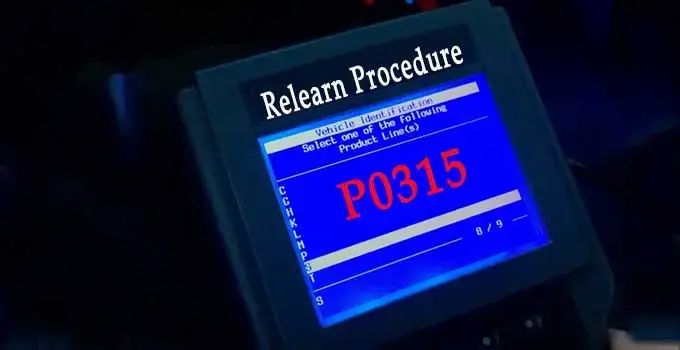
After replacing a crankshaft position sensor (CPS, also called CKP sensor), many vehicles require a “relearn” or “variation learn” procedure. This procedure teaches the engine computer the exact position of the crankshaft notches relative to top dead center (TDC). Without it, the computer uses default values that may not match your specific engine, leading to timing issues, rough idle, and persistent check engine codes (typically P0315).
A basic OBD2 code reader ($25-40) can read and clear codes but cannot send commands to the engine computer. A CPS relearn requires a bidirectional scan tool that can send the “Crankshaft Position Variation Learn” command to the ECM.
Not all vehicles need a scanner-based relearn. GM vehicles (Chevy, GMC, Cadillac, Buick) almost always require it after CPS replacement. Ford and Chrysler often require it. Toyota and Honda typically do not, using a self-learning procedure that happens automatically during the first few drive cycles.
Top 3 Scanners for Crankshaft Position Sensor Relearn
1. Autel MaxiCheck MX900
The Autel MaxiCheck MX900 is a mid-range bidirectional scan tool that supports CPS relearn on most GM, Ford, and Chrysler vehicles. It runs Android 11 with a touchscreen interface.
Key features:
– Bidirectional control (can send commands to ECM, not just read codes)
– Supports CKP variation learn on GM, Ford, Chrysler
– 4-inch touchscreen
– Android 11 operating system
– Bluetooth and USB connectivity
– Reads and clears all OBD2 codes
– Live data streaming
Price: $250-350
Best for: DIYers who need bidirectional control without paying professional-tool prices
2. Launch X431 CRP919EBT Elite
The Launch X431 CRP919EBT is a higher-end bidirectional scan tool with broader vehicle coverage and more advanced features. It supports CPS relearn across a wider range of makes and models.
Key features:
– Bidirectional control with active testing
– Supports CKP variation learn on GM, Ford, Chrysler, and some European makes
– 8-inch touchscreen
– Android 10 operating system
– 4GB RAM, 64GB storage
– Bluetooth, USB, and dual-band WiFi
– 28+ special functions including oil reset, EPB reset, DPF regen, and CPS relearn
– Wireless printing support
Price: $400-500
Best for: Advanced DIYers and independent shops that need wide make/model coverage
3. Innova 5160RS Pro
The Innova 5160RS Pro is a more affordable option that still supports bidirectional control and CPS relearn on GM and Ford vehicles. It has a simpler interface than the Autel and Launch but covers the basics well.
Key features:
– Bidirectional control (limited compared to Autel and Launch)
– Supports CKP variation learn on GM and Ford
– 3.5-inch color display
– WiFi connectivity for firmware updates
– Reads and clears all OBD2 codes
– Live data streaming
– RepairSolutions2 app integration for diagnostic suggestions
Price: $200-300
Best for: Budget-conscious DIYers who primarily work on GM or Ford vehicles
Comparison Table: Features and Prices
| Feature | Autel MaxiCheck MX900 | Launch X431 CRP919EBT | Innova 5160RS Pro |
|---|---|---|---|
| Price range | $250-350 | $400-500 | $200-300 |
| Screen size | 4-inch touchscreen | 8-inch touchscreen | 3.5-inch color display |
| Operating system | Android 11 | Android 10 | Proprietary |
| Bidirectional control | Yes | Yes | Yes (limited) |
| CPS relearn support | GM, Ford, Chrysler | GM, Ford, Chrysler, some European | GM, Ford |
| Bluetooth | Yes | Yes | No (WiFi only) |
| Live data streaming | Yes | Yes | Yes |
| Special functions | 10+ | 28+ | 5+ |
| Update method | WiFi | WiFi | WiFi |
| Best for | DIYer | Advanced DIYer / shop | Budget DIYer |
Which Vehicles Require a Scanner Relearn?
| Make | Scanner Relearn Required? | Notes |
|---|---|---|
| GM (Chevy, GMC, Cadillac, Buick) | Yes, almost always | P0315 code will not clear without relearn |
| Ford | Usually yes | Some models self-learn; check your manual |
| Chrysler (Dodge, Ram, Jeep) | Usually yes | Especially on Hemi and diesel engines |
| Toyota | No | Self-learns during first few drive cycles |
| Honda | No | Self-learns automatically |
| Nissan | Rarely | Some models with specific ECM calibrations |
| Hyundai/Kia | Rarely | Most self-learn |
| BMW | Yes | Requires ISTA or compatible scan tool |
| Mercedes | Yes | Requires XENTRY or compatible scan tool |
If you are not sure whether your vehicle requires a scanner relearn, check your service manual or call a dealer with your VIN. The general rule: if you replaced the CPS and the P0315 code will not clear, you need a scanner relearn.
How to Perform a CPS Relearn (Step by Step)
This procedure varies slightly by scanner and vehicle, but the general process is the same across GM, Ford, and Chrysler:
Prerequisites
- Engine at operating temperature (at least 170°F / 77°C coolant temperature)
- Battery voltage above 12V
- No active misfire codes (P0300-P0306 must be resolved first)
- Transmission in Park or Neutral
- All accessories off (AC, radio, lights)
Steps
-
Connect the scanner to the OBD2 port under the dashboard on the driver’s side.
-
Turn the ignition to ON (do not start the engine yet). Wait for the scanner to communicate with the ECM.
-
Navigate to the relearn function. The menu path varies by scanner:
– Autel: Diagnostics > Special Functions > Crankshaft Position Variation Learn
– Launch: Diagnostics > Special Functions > CKP System Variation Learn
– Innova: Special Tests > Crankshaft Position Sensor Relearn -
Follow the on-screen prompts. The scanner will instruct you to:
– Start the engine
– Bring the engine to operating temperature (if not already there)
– Accelerate to a specified RPM (usually around 3,000-4,000 RPM) and hold briefly
– Release the throttle and let the engine return to idle -
Wait for confirmation. The scanner will display “Relearn Successful” or similar. If it fails, the scanner will show a reason (engine too cold, misfire detected, RPM not reached, etc.).
-
Clear the codes. After a successful relearn, clear the P0315 code and any other stored codes.
-
Test drive. Drive for 10-15 minutes at varying speeds to confirm the code does not return.
Common reasons the relearn fails:
- Engine not at operating temperature
- Active misfire codes not resolved first
- Battery voltage too low
- Throttle did not reach the required RPM
- Faulty replacement sensor (even new sensors can be defective)
What Happens If You Skip the Relearn?
If you skip the CPS relearn on a vehicle that requires it:
- P0315 will not clear. The code will return immediately or within one drive cycle.
- Rough idle. The engine may idle roughly or stall because the ECM is using default timing values that do not match your crankshaft.
- Poor fuel economy. Incorrect timing data means the ECM cannot optimize fuel injection timing.
- Hesitation or stumble on acceleration. The ECM may retard timing as a safety measure.
- Potential long-term damage. Running with incorrect timing for extended periods can cause carbon buildup and, in severe cases, valve damage.
The vehicle will run, but it will not run correctly. The relearn procedure takes 5-10 minutes with the right scanner. Skipping it is not worth the risk.
Can You Relearn Without a Scanner?
On some vehicles, you can perform a “manual relearn” by following a specific throttle sequence. This works on some GM and Ford models but not all:
GM Manual Relearn (some models)
- Turn the ignition to ON (do not start).
- Depress the accelerator fully and hold for 5 seconds.
- Release the accelerator.
- Turn the ignition off for 30 seconds.
- Start the engine and let it idle for 2 minutes.
- Drive at varying speeds for 10 minutes.
Ford Manual Relearn (some models)
- Start the engine and let it reach operating temperature.
- Turn the engine off and wait 30 seconds.
- Restart the engine and accelerate to 3,000 RPM, then release the throttle.
- Repeat 3 times.
- Let the engine idle for 2 minutes.
Important: These manual procedures do not work on all models. If the P0315 code persists after attempting a manual relearn, you need a bidirectional scanner. Toyota and Honda do not require any relearn procedure at all, manual or scanner-based. They self-learn during the first few drive cycles.
Cost Breakdown: DIY vs Shop
| Option | Cost | Time |
|---|---|---|
| Buy Autel MaxiCheck MX900 and DIY | $250-350 (one-time) | 10 min |
| Buy Innova 5160RS Pro and DIY | $200-300 (one-time) | 10 min |
| Pay a shop for CPS relearn only | $80-150 | 15-30 min |
| Pay a dealer for CPS relearn only | $120-200 | 15-30 min |
| Basic OBD2 scanner (cannot do relearn) | $25-40 | N/A |
When to buy a scanner vs pay a shop:
– If you only need the relearn once, paying a shop is cheaper ($80-150 vs $200-500 for a scanner).
– If you work on your own vehicles regularly, a bidirectional scanner pays for itself after 2-3 uses.
– If you are a professional or semi-professional mechanic, the Launch X431 is the best investment for wide coverage.
Frequently Asked Questions
Q: Can a basic OBD2 scanner do a crankshaft position sensor relearn?
A: No. A basic $25-40 OBD2 code reader can only read and clear codes. It cannot send commands to the engine computer. A CPS relearn requires a bidirectional scan tool that can send the “Crankshaft Position Variation Learn” command to the ECM. The cheapest bidirectional scanners that support CPS relearn start around $200-300.
Q: Do all vehicles need a scanner for CPS relearn?
A: No. Toyota and Honda self-learn the crankshaft position during the first few drive cycles after sensor replacement. GM vehicles almost always require a scanner-based relearn. Ford and Chrysler usually require it. If you replaced the CPS and the P0315 code will not clear, your vehicle needs a scanner relearn.
Q: What happens if I do not do the relearn after replacing the crankshaft sensor?
A: The P0315 code will not clear, and the engine may run roughly, idle poorly, hesitate on acceleration, and get worse fuel economy. The ECM uses default timing values that do not match your specific crankshaft, leading to suboptimal performance. The vehicle will run, but it will not run correctly. The relearn takes 5-10 minutes with the right scanner.
Q: Can I do the relearn myself or do I need a mechanic?
A: You can do it yourself if you have a compatible bidirectional scanner. The procedure is straightforward: connect the scanner, navigate to the relearn function, and follow the on-screen prompts. The scanner will tell you exactly what to do (start the engine, accelerate to a specific RPM, release the throttle). If you do not have a scanner, a shop can do the relearn in 15-30 minutes for $80-150.
Q: Which scanner is best for crankshaft position sensor relearn?
A: For most DIYers, the Autel MaxiCheck MX900 ($250-350) is the best balance of price and capability. It supports CPS relearn on GM, Ford, and Chrysler. For wider coverage including some European makes, the Launch X431 CRP919EBT ($400-500) is better. For budget-conscious GM/Ford owners, the Innova 5160RS Pro ($200-300) works.
Q: Why does my P0315 code keep coming back after the relearn?
A: If the relearn succeeds but P0315 returns, the replacement sensor may be defective, the wiring to the sensor may be damaged, or the crankshaft reluctor ring (the notched wheel the sensor reads) may be damaged. Check the sensor wiring first, then try a different sensor. If the problem persists, the reluctor ring may need inspection, which requires removing the oil pan or timing cover depending on engine design.
Sources & References
- Autel – MaxiCheck MX900 product documentation and vehicle coverage list
- Launch Tech – X431 CRP919EBT product documentation and special function list
- Innova Electronics – 5160RS Pro product documentation
- GM Service Information – Crankshaft Position Variation Learn procedure (SI document)
- Ford Service Information – CKP System Variation Learn procedure
- SAE J2012 – OBD-II Diagnostic Trouble Code definitions (P0315)
- RepairPal – Average repair cost estimates for crankshaft position sensor replacement
Related articles on CarsDailyHub:
– OBD Codes & Diagnostics: How to Read and Fix Any OBD Error Code
– How to Reset Crankshaft Position Sensor Without a Scanner
– What to Do After Replacing Crankshaft Sensor: Essential Steps
– What Happens If You Don’t Relearn Crankshaft Position Sensor?
– 5.7 Vortec Crankshaft Position Sensor Symptoms: Causes, Symptoms & Fix